Find the personal data hiding in your old files.
Old documents, spreadsheets and downloads can hold card numbers, bank details and ID numbers you forgot were there. DataTrace Pro X scans your folders, shows which files contain what, and scores each folder by risk — so you can deal with it before it leaks.
Free on the Microsoft Store · Windows 10 & 11
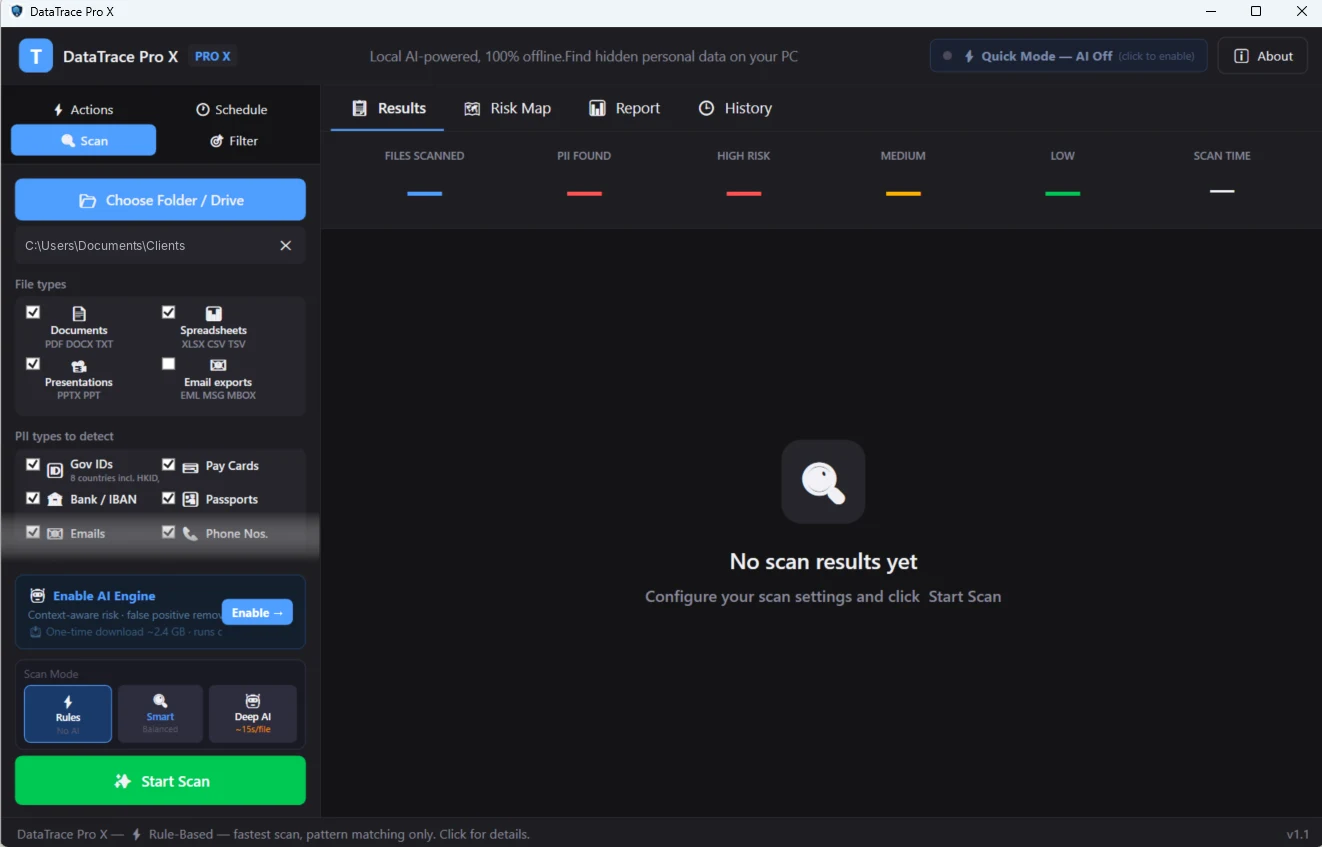
Features
Know where your personal data is.
Financial data
- Card numbers
- Bank account numbers and sort codes
- IBAN references
Identity documents
- National Insurance numbers
- Passport numbers
- Driving licence numbers
FolderRisk scores
- Every folder scored by how much personal data it holds and how sensitive it is
- See where to start first
- Open files straight from the results
How it works
Three steps.
Choose folders
Pick folders, drives or your whole PC — including external and network drives.
Scan
Each file is checked for personal data, with a risk level.
Review and act
See which files contain what, then open, redact or delete them. Start with the highest-risk folders.
Useful for
- Clearing out an old laptop
- Before selling or recycling a PC
- Shared drives at work
- Data protection audits
- Small business housekeeping
Questions
Frequently asked
Are my files sent anywhere to be analysed?
What is FolderRisk?
Can it scan external or network drives?
I've found personal data in a PDF. Now what?
Guides
Related reading
How to find hidden personal data on your PC
Old documents and spreadsheets often hold personal data you forgot was there.
Privacy guideDon't send a contract with hidden metadata
Author names, redlines and tracked-changes history can travel with a contract. How to check and strip them.
Privacy guideHow to remove metadata from Word documents
Remove author names, company details and hidden personal information from Word files.
DataTrace Pro X
Scan your PC for card numbers, National Insurance and passport numbers and other personal data forgotten in old files.