Remove hidden metadata from documents before you send them.
Every Word, Excel, PowerPoint and PDF file carries hidden details: your name, your company, the folder it was saved in — and often tracked changes and comments. Document Metadata Remover shows what's hidden in each file and removes it in one click. Your documents look exactly the same.
Free with no limits · Pro deep clean is a one-time purchase
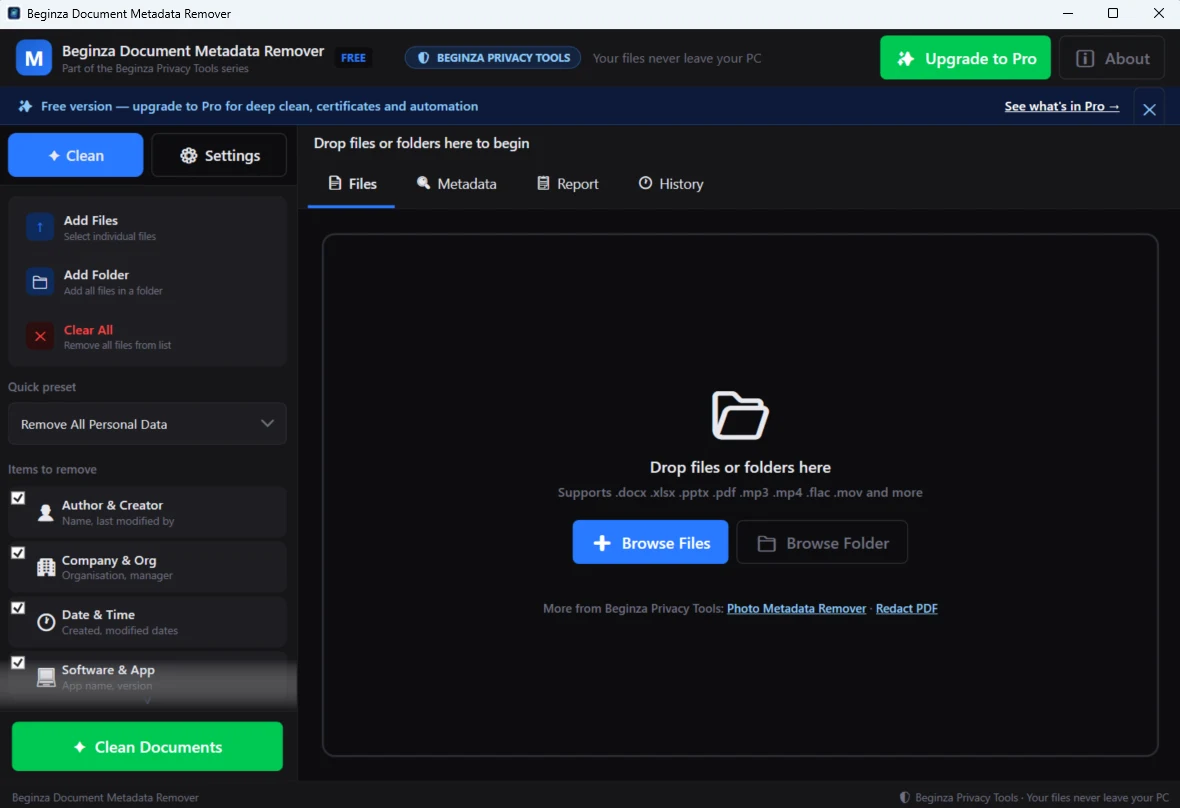
Features
See it. Clean it. Send it.
See what's hidden
- A risk badge for every file: HIGH, MEDIUM, LOW or CLEAN
- Hidden content spelled out, e.g. “5 tracked changes, 2 comments”
- Before-and-after comparison for every file
Free cleaning, no limits
- Author, last modified by, company, manager, dates and revision
- Template and folder paths that reveal your Windows user name
- PDF author and dates, including the XMP block and earlier saved versions
- Old .doc, .xls and .ppt files, plus audio and video
Pro deep clean
- Accept tracked changes and remove reviewer names
- Remove comments, hidden text and speaker notes
- Remove editing fingerprints and PDF attachments and scripts
- Compliance certificate with a SHA-256 fingerprint of each file
Free and Pro
Start free. Upgrade only if you need to.
Free
No limits, no time limit
- Word, Excel, PowerPoint and PDF metadata
- Folder and template paths
- Old Office formats, audio and video
- Clean hundreds of files at once — sub-folders included
- Cleaning history
Pro
One-time purchase · no subscription
- Accept all tracked changes
- Remove comments, hidden text and speaker notes
- Remove editing fingerprints
- Remove PDF attachments and scripts
- Compliance certificates
How it works
Three steps.
Drop in files or folders
Word, Excel, PowerPoint, PDF, audio and video — hundreds at once, sub-folders included.
Check the risk badges
See which files carry tracked changes, comments or personal details, and compare before and after.
Clean
Cleaned copies are saved with your folder structure kept. The app tells you where they are. Originals are untouched.
Useful for
- Contracts to the other side
- Client deliverables
- Tenders and bids
- HR letters and policies
- CVs
- Documents published online
Questions
Frequently asked
What metadata does it remove?
Will it change how my document looks?
Are my files uploaded?
What about digitally signed PDFs?
Is this the app that used to be called Doc Metadata Cleaner Pro X?
Guides
Related reading
How to remove metadata from Word documents
Remove author names, company details and hidden personal information from Word files.
Privacy guideDon't send a contract with hidden metadata
Author names, redlines and tracked-changes history can travel with a contract. How to check and strip them.
Data protectionHow to find hidden personal data on your PC
Old documents and spreadsheets often hold personal data you forgot was there.
Document Metadata Remover
Strip author names, company details, file paths, tracked changes and comments from Word, Excel, PowerPoint and PDF files.